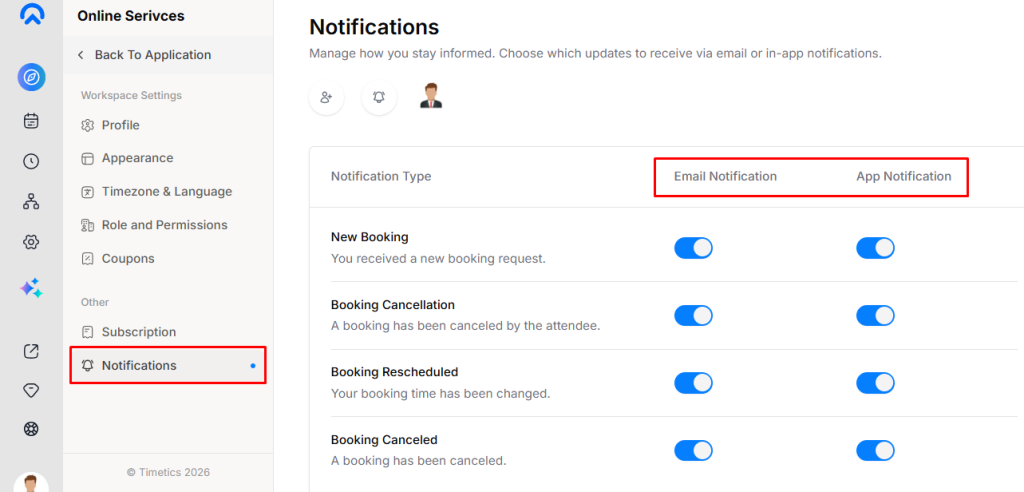
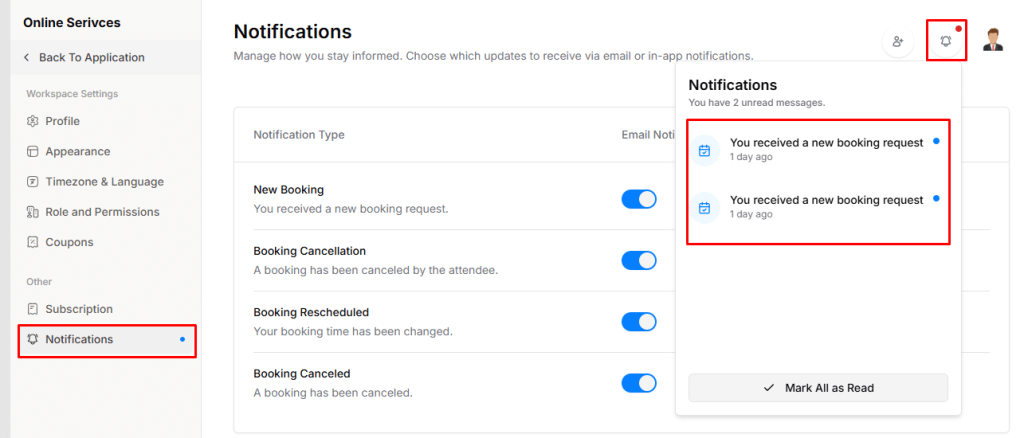
The Notifications settings allow you to control how you stay informed about booking-related activities. You can choose to receive updates via email notifications, in-app notifications, or both.
How Notifications Work
You can enable or disable notifications based on the event type and your preferred notification channel.
Notification Types
You can manage the following notification events:
- New Booking Request
- Get notified when a user submits a new booking request.
- Booking Canceled by Attendee
- Receive an alert when an attendee cancels a booking.
- Booking Time Changed
- Get notified if the scheduled time of a booking is updated.
- Booking Canceled
- Receive a notification when a booking is canceled from the system.
Notification Channels
For each notification type, you can choose how you want to receive updates:
- Email Notification
- Receive notifications directly in your email inbox.
- App Notification
- View notifications inside the application dashboard.
Manage Notification Preferences
You can enable or disable Email and App notifications individually for each notification type, giving you full control over how and when you receive updates.