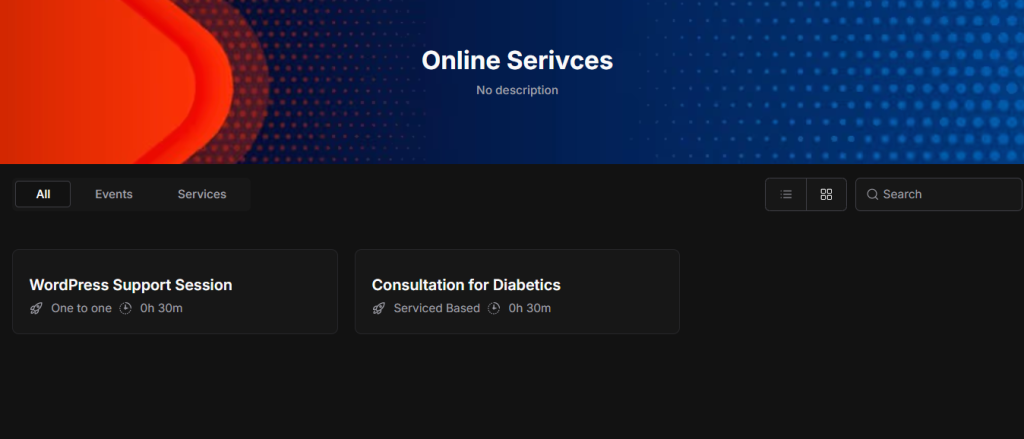
After adding all bookings and services, the system automatically creates a Public Booking Page for you. You do not need to create this page manually.
Steps to View the Public Booking Page
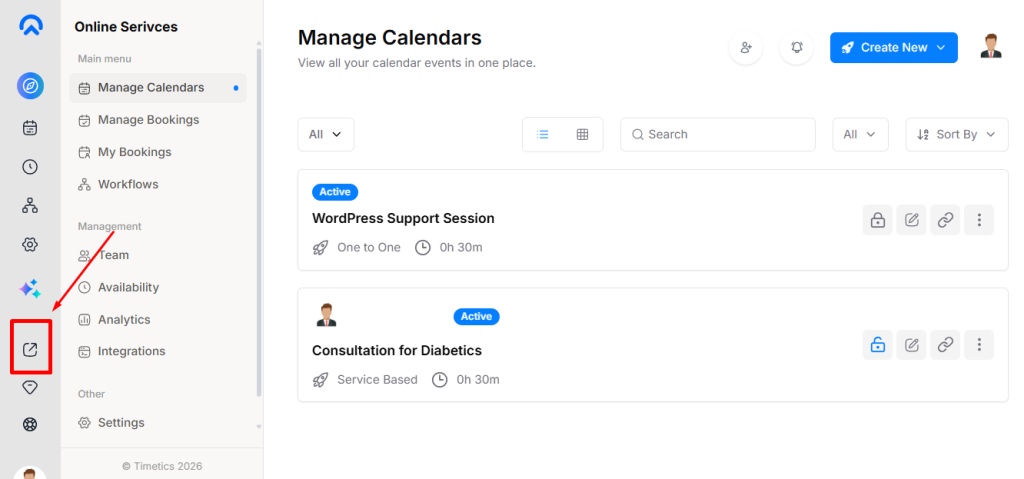
- Go to your dashboard
- From the left sidebar, click the View icon
- You will be redirected to the Public Booking Page
Change the Appearance Booking Page
You can customize the appearance of the Public Booking Page from the Appearance settings. The following options are available:
- Change Banner Image
- Navigate to Settings → Appearance
- Click on Change Banner Image
- Upload and save your preferred banner image
- Switch Light or Dark Mode
- Choose between Light Mode or Dark Mode
- Users can view the booking page in their preferred mode

- Change Banner Title
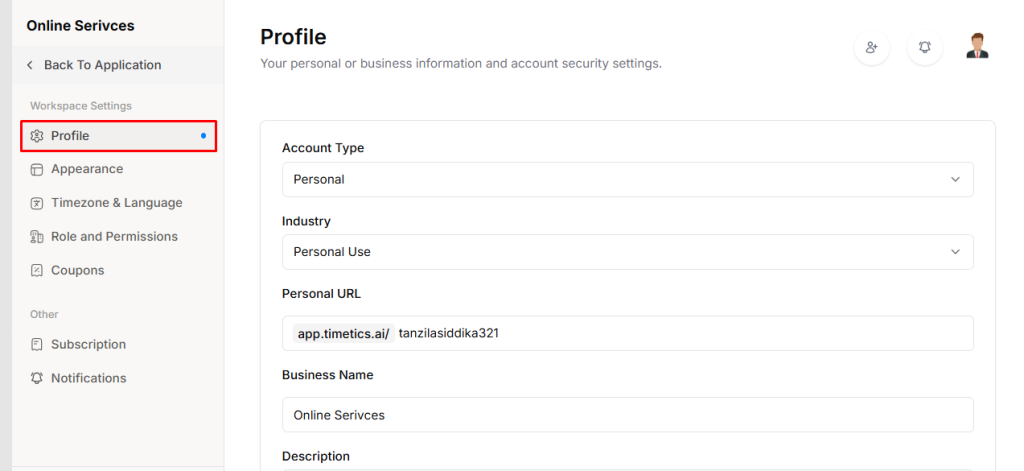
- Edit the Banner Title from the settings → profile
- Update the title text to match your service or brand
Public Booking Page: