Coupons help you offer discounts on your service bookings. You can use coupons to attract new customers, run promotional campaigns, or provide special offers for specific services.
How to Create a Coupon
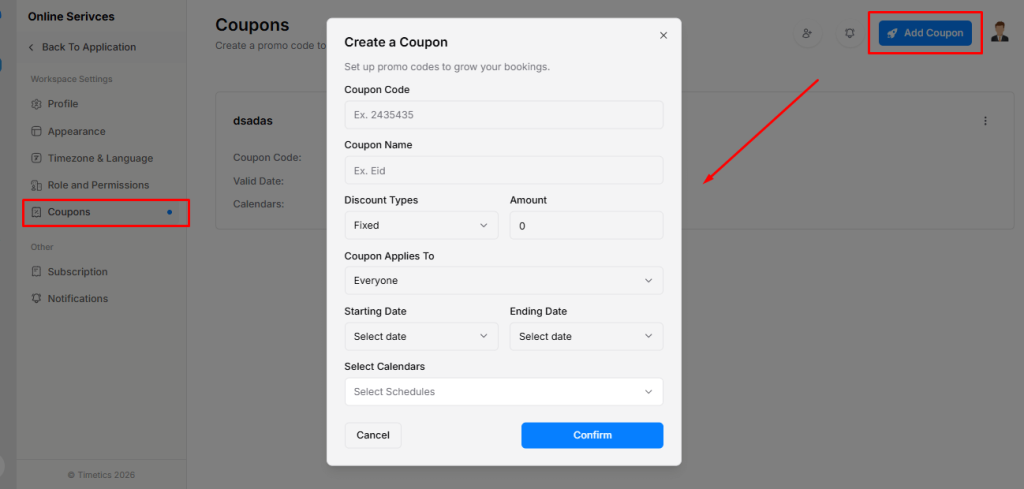
Follow these steps to add a new coupon:
- Go to Coupons from the left sidebar.
- Click Add Coupon.
- Enter a Coupon Code.
- Add a Coupon Name.
- Select the Discount Type:
- Fixed – applies a fixed amount discount
- Percentage – applies a percentage-based discount
- Set the Discount Amount.
- Choose Coupon Applies To:
- Everyone – available to all customers
- New Customers – only for first-time customers
- Existing Customers – only for returning customers
- Set the Validity Period (Starting Date and Ending Date).
- Select the Calendars/Services where the coupon will apply.
- Click Confirm to save the coupon.
✅ The coupon is now created and ready to use.
When your client books a service, they can enter a Coupon to apply a discount during the booking process.
