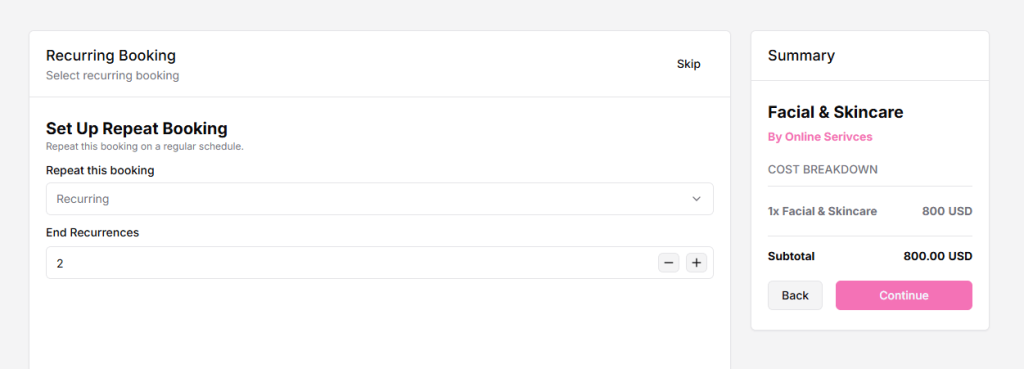
Recurring Booking allows clients to book the same service on a repeated schedule, such as daily, weekly, or monthly. This helps save time and makes ongoing bookings easier for both you and your clients.
How to Enable Recurring Booking
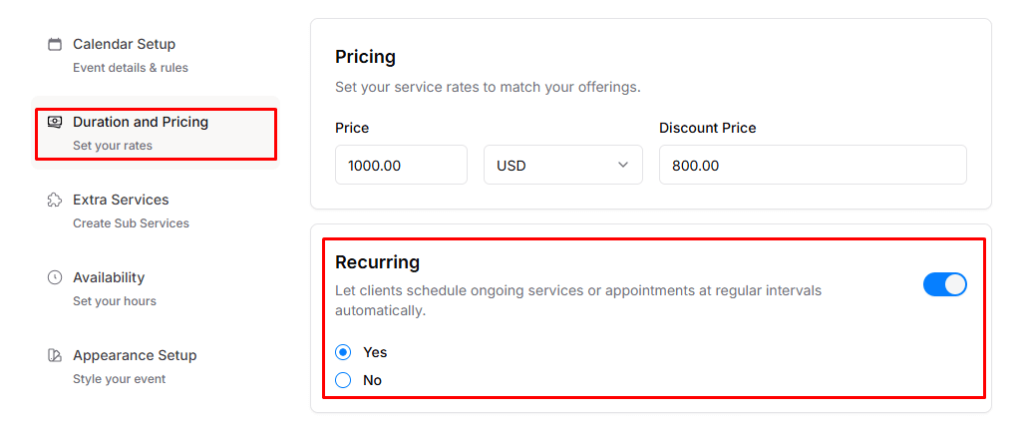
- Go to Edit Booking → Pricing Menu → Enable Recurring Booking.
- Recurring Booking works for both one-to-one and service-based booking types.
Now, when a client makes a booking, they can choose recurring options according to their preference.