This document provides a concise overview of how to create an account, log in, and upgrade to the Pro plan in Timetics AI.
1. Create an Account / Log In
To get started with Timetics AI, visit the following link: 👉 https://app.timetics.ai/sign-up
You can sign up or log in using:
- Your email address and password, or
- Your Google account for quick verification and access
Once the sign-up process is complete, you will be logged in to the Free version by default.
2. Upgrade to the Pro Plan
If you wish to unlock advanced features, you can upgrade to the Pro plan by following these steps:
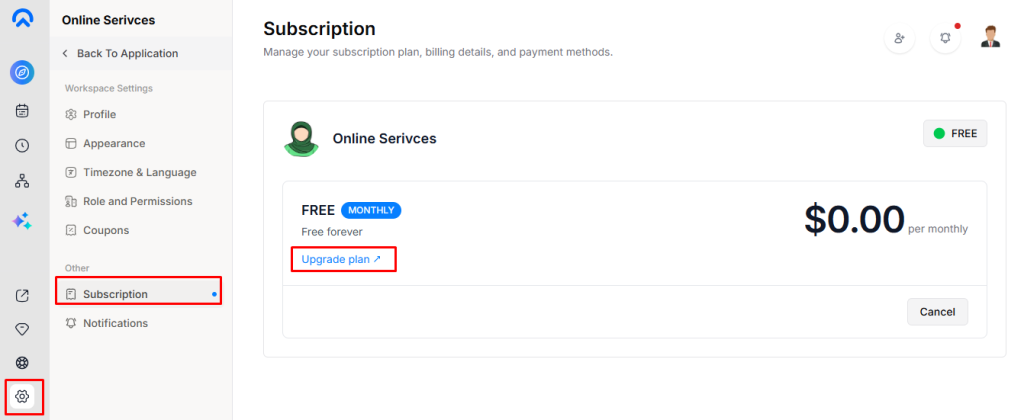
- Navigate to Settings → Subscriptions
- Click on Upgrade to Pro
A pop-up window will appear, allowing you to select and purchase a Pro plan based on your business needs and lead requirements.
After successful payment, your account will be automatically upgraded to the Pro version.