Skip to content
Timetics
  • Documentation
Timetics
  • Documentation
  • Home

Timetics

⌘K
  • Getting Started
    • Dashboard Basics
  • Staff Members
    • Add New Team Member
  • Meetings
    • Meeting Category
    • One-to-One Meeting
    • One-to-Many Meeting
    • Customer Booking
  • Meetings with Visual Seat Map
    • How to Create a Meeting with Visual Seat Plan
    • Seat Decoration
    • Seat plan from Frontend
    • Minimum/ Maximum Ticket Quantity for Seat Plan
    • Seat Plan Collection
  • Calendar
    • Create New Booking
    • Calendar View of Booking
    • List view of Bookings
    • Auto-detected Timezone
  • Events
    • Create Events
  • Customers
    • Customer List
  • Settings
    • General
    • Availability
    • Booking Questions
    • Webhook
    • Custom Domain
    • Custom Branding (White Label)
    • Notification
  • Integrations
    • Google Meet/Calendar Integration
    • Zoom Integration
    • Pabbly Integration
    • Zapier Integration
    • WhatsApp Integration
    • Apple & Outlook Calendar Integration
    • Webhook Integration
    • OpenAI Integration
    • Timetics Integration using iframe
  • Payment Type
    • Stripe
    • Local Payment
    • Paypal
  • Agency Account
  • Subscription Upgrade
  1. Home
  2. Docs
  3. Timetics
  4. Meetings with Visual Seat...
  5. Seat Plan Collection

Seat Plan Collection

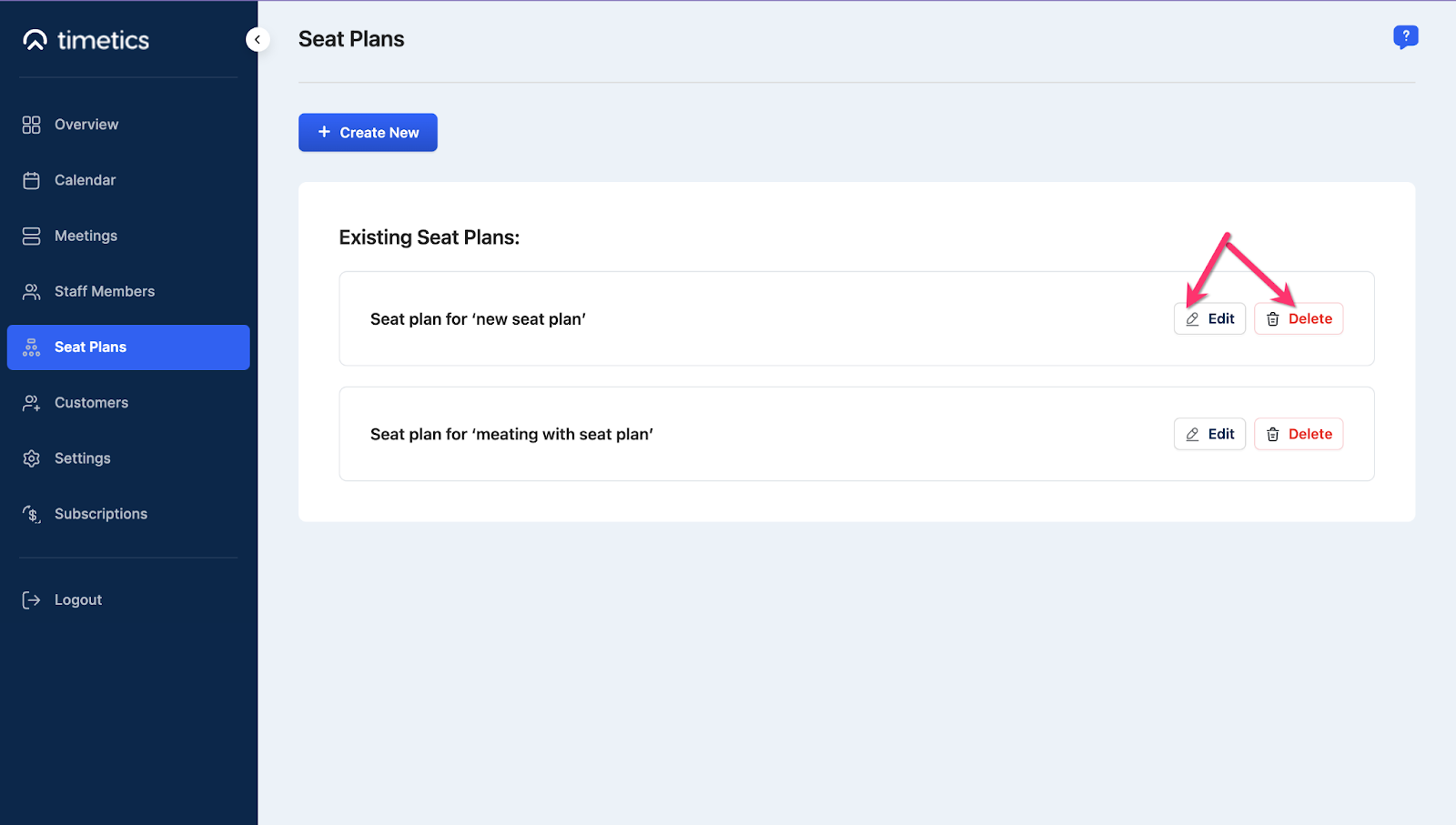
The previously created seat decoration for all the events will be stored on the Seat Plan Collection of your Timetics Dashboard left sidebar. 

 From here you can create a meeting with new seat plans. 

Or, Edit or delete the previously created Seat Plan as per your needs.
Doc navigation

← Seat plan from Frontend
Still stuck? How can we help?
Updated on February 3, 2024
Was this article helpful to you? No Yes

How can we help?

Copyright © 2026 Timetics | Powered by Arraytics

Scroll to Top